Docs
Overview
An application represents the software or service that you (as a developer) are building and that will consume APIs from the portal.
Applications are important because they:
- Creating a formal registration for your integration.
- Provide API keys or OAuth credentials for authentication.
- Manage subscriptions to products (you cannot subscribe to a product without an application).
- Help you monitor usage, quotas, and analytics per app.
Think of an application as the bridge between your project and the APIs offered in the portal.
Creating an Application
Follow these steps to create your first application in the Developer Portal:
- Login to the Portal
- Open your Developer Portal in a browser.
- Log in with your developer account.
- Navigate to Applications
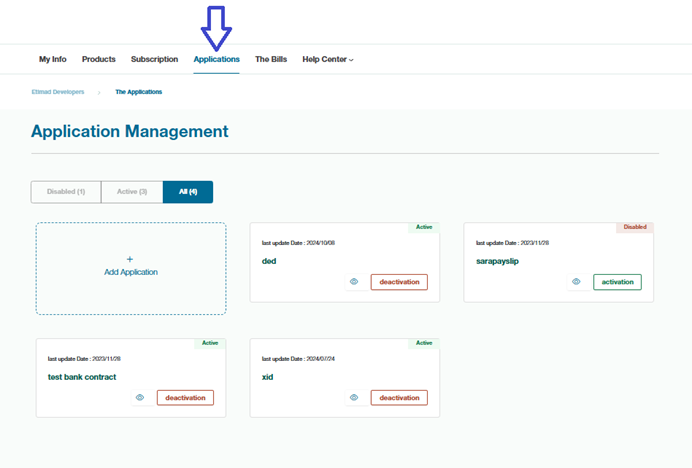
From the main navigation menu, click Applications.
- Add a New Application
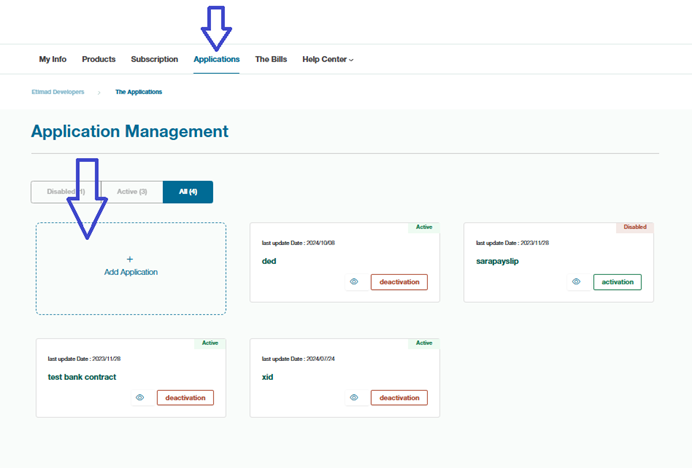
On the Applications page, click Add Application.
- Fill in Application Details
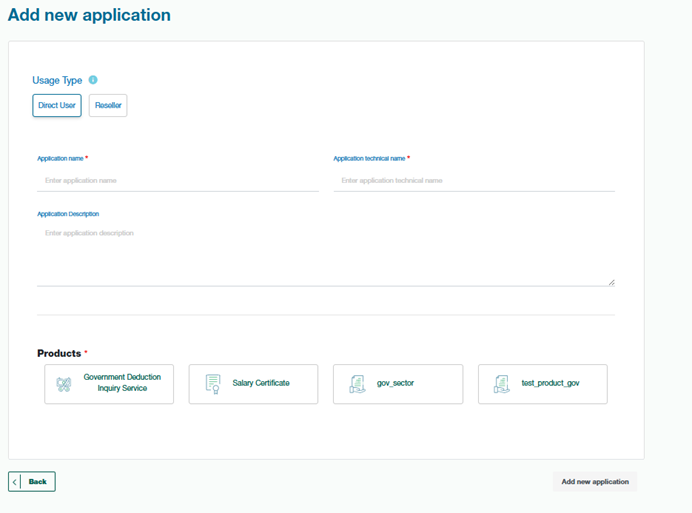
- Application Technical Name → A unique technical name for your app.
- Application Name → The display name of the application.
- Description → Briefly describe what your app does.
- Callback URL (if required) → Needed if your app uses OAuth authentication.
- Select API products the application will access.
Click Save.
- Confirm Application Creation
- Once saved, your app will appear in the Applications list.